Manage Students & Sessions
Open the instructor workspace to select a session, view the class code, monitor participants, remove a student, or delete a test session.
After the workspace opens: sign in with your instructor password, then expand Manage Students & Sessions at the top of the page.
Instructor Login and Session Controls
Use the C3 Workspace to sign in as the instructor, create or reopen a session, copy the student invite link, monitor participants, and manage the session.
The session workflow
c3/config.php. The class code is generated automatically for each class session and is the code you share with students.Sign in as the instructor
Open C3 Inquiry Studio → Workspace. Expand Instructor access, enter the password you placed in c3/config.php, and choose Enter instructor workspace.
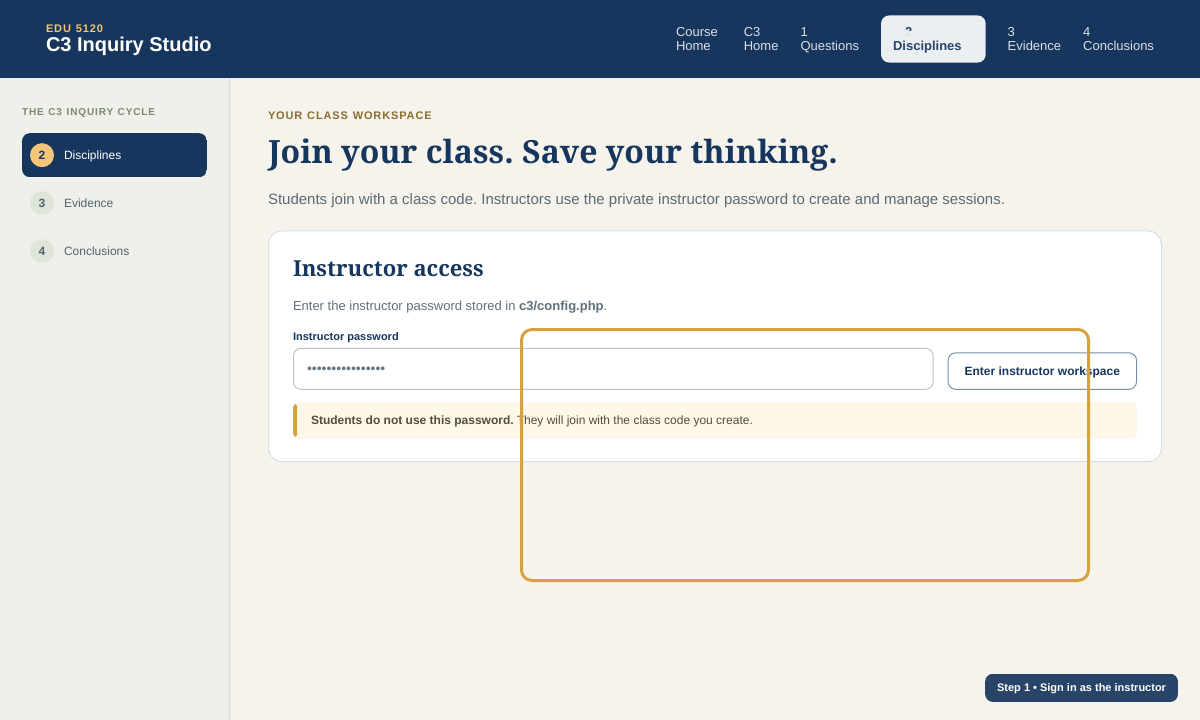
The instructor password is never the student class code. Students should not receive the instructor password.
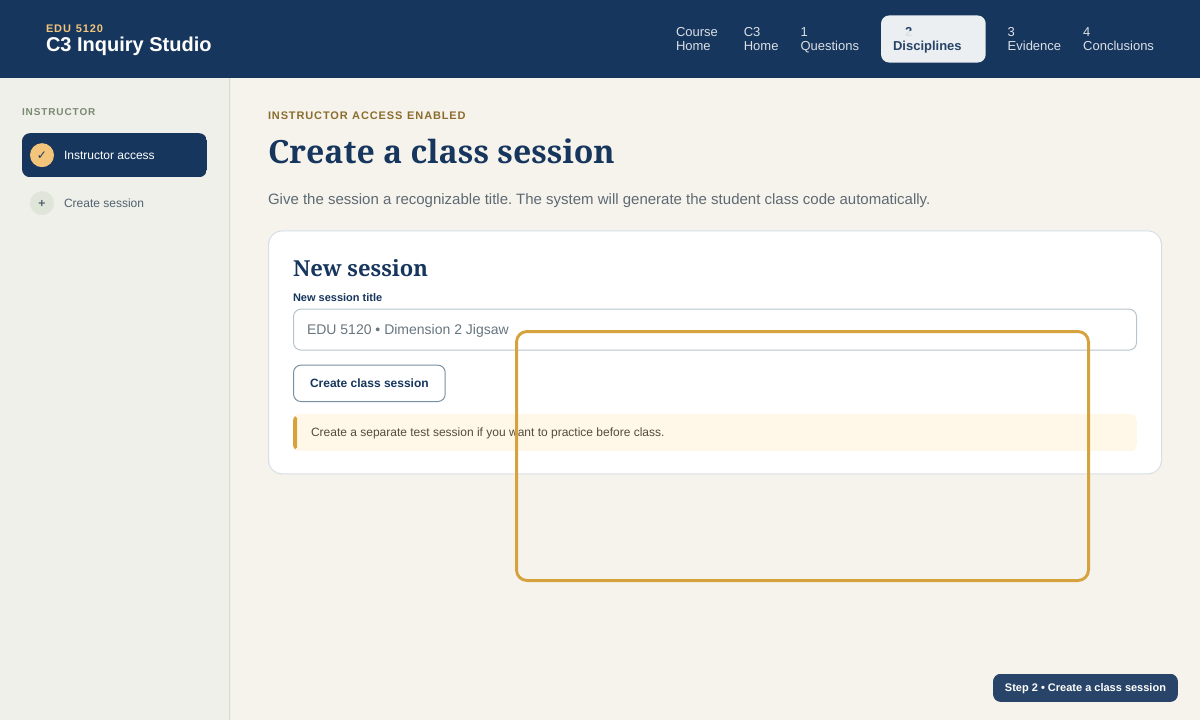
Create a class session
Enter a recognizable session title, such as EDU 5120 • Dimension 2 Jigsaw, and choose Create class session. You do not type a class code. The PHP system creates a unique class code for you.
Share the generated class code
After the session is created, the workspace displays the class code. Give that code to students. A student joins by entering a first name or initials and the class code.
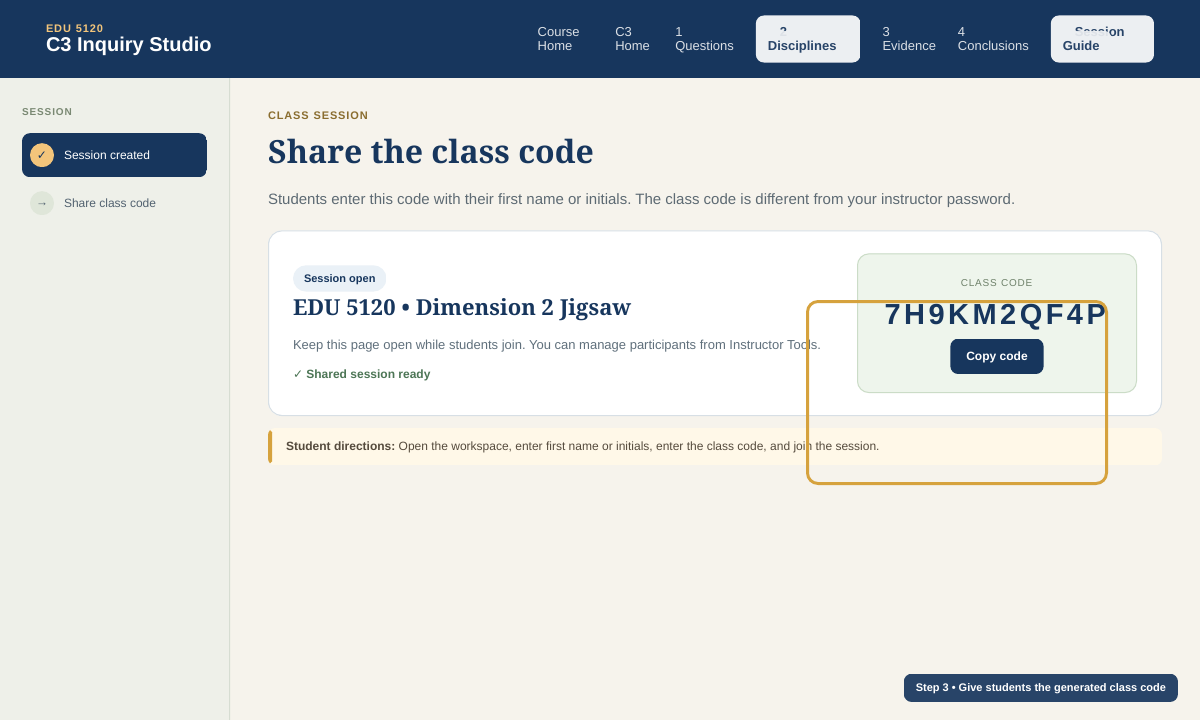
The code shown in the screenshot is only an example. Each session generates its own code.
| Code type | Who uses it | Purpose |
|---|---|---|
| Class code | All students in the session | Join the shared class session |
| Recovery code | One student only | Return to that student's saved identity and work later |
| Instructor password | Instructor only | Access instructor tools and manage sessions |
| Instructor | Student |
|---|---|
| Uses private instructor password | Uses generated class code |
| Creates and manages sessions | Joins a session and saves group work |
| Can remove a test student or delete a test session | Cannot access instructor controls |
Verify student and group setup
As students join, confirm that names appear in the session. For the Dimension 2 jigsaw, each student needs three assignments:
- Discipline: History, Geography, Economics, or Civics
- Expert group: the discipline-specific group they work with first
- Home group: the mixed group they return to after becoming an expert
A student should know both assignments before beginning, but they work with the expert group first. After the expert-group reading, synthesis, and land-use application, they return to the assigned home group to teach what they learned.
Use Manage Students & Sessions to manage the session
Once you are signed in as the instructor, Manage Students & Sessions appears above the workspace. Select a session to see its class code and participants.
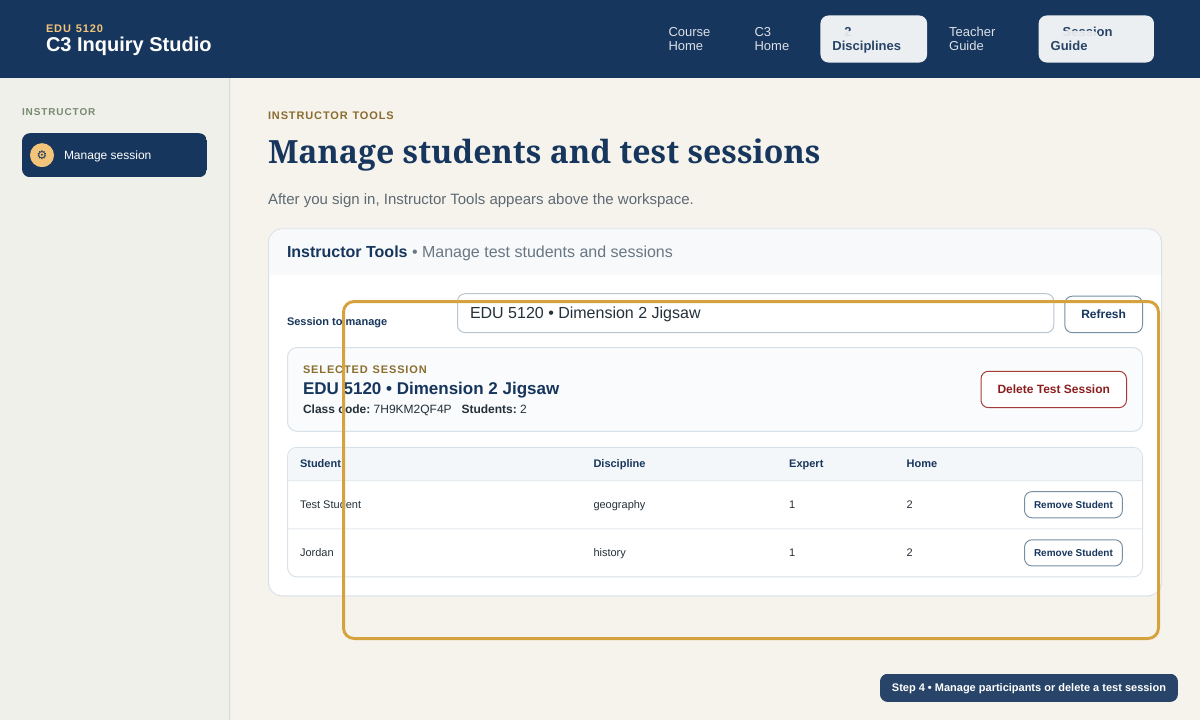
- Refresh: reload the current session participant list.
- Remove Student: useful for a dummy student or accidental duplicate. Shared expert-group and home-group records are preserved.
- Delete Test Session: permanently removes the selected session, participants, and saved work. The system requires you to type DELETE before it proceeds.
Instructor readiness checklist
- Confirm
c3/config.phphas your instructor password and is in the same folder asapi.php. - Sign in successfully as the instructor.
- Create the actual class session.
- Copy or display the class code.
- Remind students to save their personal recovery code when they join for the first time.
- Decide student discipline, expert-group, and home-group assignments.
- If you created a dummy student, remove it before class.
- If you created a separate test session, delete it when testing is complete.
- Keep the workspace open during class so you can monitor participants and shared work.
If instructor login does not work
- Make sure
config.phpandapi.phpare both in/cpp/history/c3/. - Use an instructor password of at least 12 characters.
- Do not use the class code as the instructor password.
- If you made many failed attempts, wait for the temporary login limit to clear.
- Open
c3/hosting-check.phpto check PHP sessions and private writable storage.